An Android app can reach its backend while leaving no requests in the proxy. That does not immediately implicate certificate pinning. Routing determines where a connection goes; TLS verification determines whether the peer is accepted. Establish each path separately.
The 2019 Android ARMv7 Flutter test app uses dart:io, with its native TLS path in libflutter.so. Jeroen Beckers' experiment separates proxy selection from certificate-chain validation. The analysis is specific to that build; its trust-store behavior should not be generalized to every later Flutter release.
Editorial illustration. It represents the tools, not a network topology or an experimental result.
Establish that the request reaches the proxy
The test app starts from the counter example. Its button callback creates a request with HttpClient.getUrl() and sends it with request.close(). A changing counter establishes that the callback ran; a response or log is needed to establish request completion. Test HTTP first, then HTTPS against the same target, to avoid changing several conditions at once.
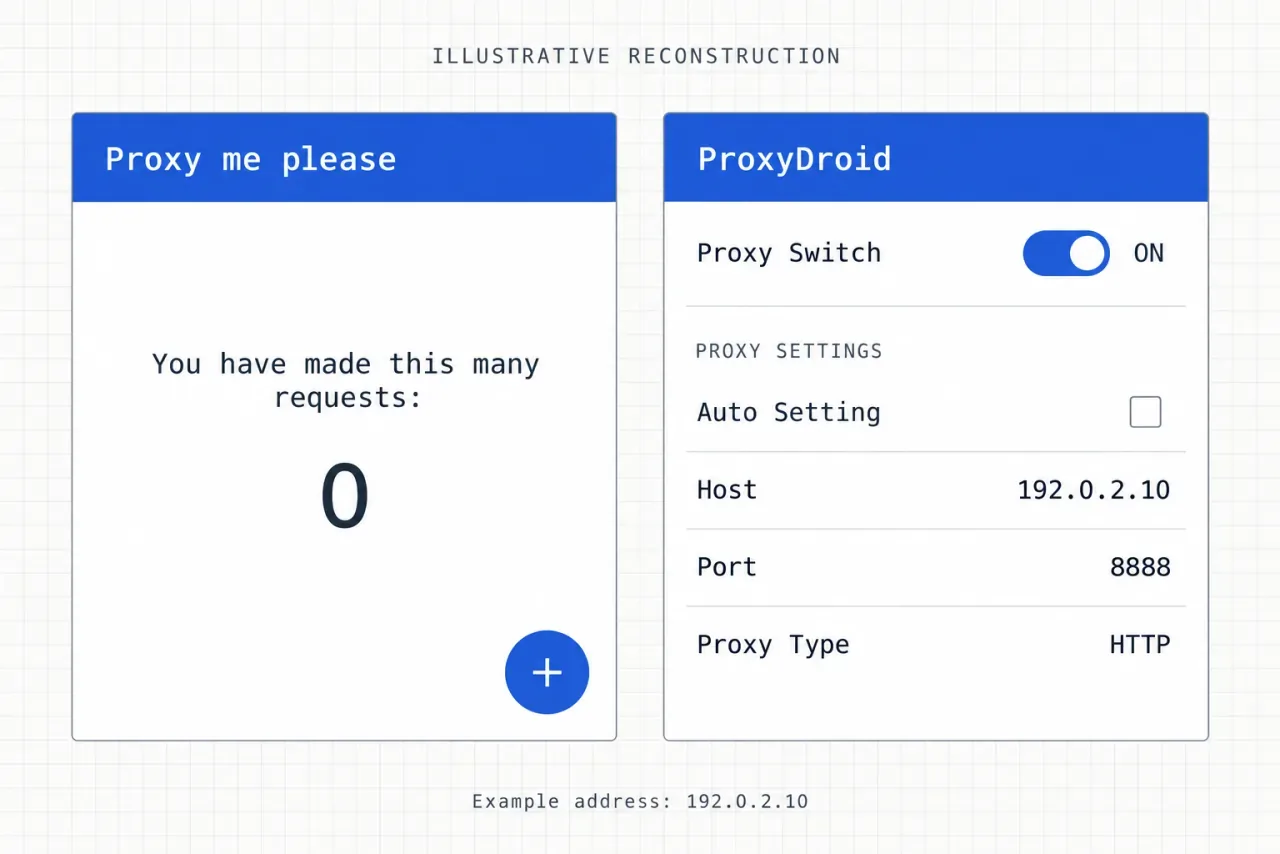
Interface illustration. The left card shows the test app with its counter at 0 and a plus button. On the right, the proxy switch is ON, Auto Setting is unchecked, the port is 8888, and the type is HTTP. 192.0.2.10 is a documentation-only example address.
With source: set findProxy explicitly
In the historical record, the app logged a successful request but Burp saw no corresponding traffic. Without findProxy, this client connected directly; Android's Wi-Fi proxy setting did not automatically configure this Dart path. The Dart findProxy documentation also distinguishes direct connections from a resolver returning PROXY host:port.
final client = HttpClient();
client.findProxy = (uri) => 'PROXY 192.0.2.10:8888';
The HTTP request record follows, with the host redacted as target.example. It shows request fields, not a response:
GET / HTTP/1.1
user-agent: Dart/2.4 (dart:io)
Accept-Encoding: gzip, deflate
content-length: 0
host: target.example
Connection: close
This establishes proxy selection, not TLS acceptance. findProxyFromEnvironment instead depends on the environment of the app process. Setting http_proxy in a desktop shell does not establish that an Android app launched by zygote inherited it.
Without source: check the forwarding mode
The historical test used ProxyDroid with root access to change the connection path through iptables. An explicit HTTP proxy and transparent forwarding are different arrangements: TCP redirection does not manufacture a CONNECT exchange. The listener mode, recovery of the original destination, and forwarding rules must agree.
At this stage the established path is button → Dart client → TCP route → proxy. HTTPS certificate-chain verification remains a separate question.
Follow the handshake error to the TLS implementation
After switching the URL to HTTPS, the proxy observed a connection but the handshake failed. The historical device already trusted the proxy CA at the system level. This Dart/Flutter build, however, used a separate root collection and BoringSSL verification, so the system-store change did not directly affect that path.
CERTIFICATE_VERIFY_FAILED: self signed certificate in certificate chain(handshake.cc:352)handshake.cc is a locating clue; 352 is not a fixed binary offset. Following the source leads to a failure branch in ssl_verify_peer_cert that records the error and then sends a fatal alert:
if (ret == ssl_verify_invalid) {
    OPENSSL_PUT_ERROR(SSL, SSL_R_CERTIFICATE_VERIFY_FAILED);
    ssl_send_alert(ssl, SSL3_AL_FATAL, alert);
}
Overriding the outer function's return value on exit leaves the earlier alert intact. Changing a return value does not undo side effects. Follow the control flow further upstream before choosing the interception point.
Distinguish a Boolean from a verification enum
The outer function maps a Boolean chain-validation result to a verification enum:
ret = ssl->ctx->x509_method->session_verify_cert_chain(
          hs->new_session.get(), hs, &alert)
          ? ssl_verify_ok
: ssl_verify_invalid;| Layer | Success value | What to check at the interception point |
|---|---|---|
| Outer verification result | ssl_verify_ok = 0 |
Whether a fatal alert has already been sent |
session_verify_cert_chain |
true = 1 |
Whether execution is still before the outer failure handling |
The sample uses the inner function because this build's relevant failure path primarily records an error, before the outer alert is sent. That narrower side-effect claim needs support from both source and the sample. It is not a guarantee about every function with the same name.
The error macro also leaves an anchor in a stripped binary:
#define OPENSSL_PUT_ERROR(library, reason) \
  ERR_put_error(ERR_LIB_##library, 0, reason, __FILE__, __LINE__)
__FILE__ brings the source filename into the binary. The search narrows from the entire TLS implementation to code that references ssl_x509.cc.
Trace the string to a Thumb entry point
| Field | Visible content |
|---|---|
| Filter | x509.cc |
| Location | 0x000815c2 |
| Len | 48 |
| String View | ../../third_party/boringssl/src/ssl/ssl_x509… |
The string view truncates the path. The ellipsis denotes the part not shown; it is not part of the filename. That location has four cross-references (XREFs):
| Index | Reference address |
|---|---|
| 1 | 0x002fd9c6 |
| 2 | 0x0034b3ec |
| 3 | 0x0034b546 |
| 4 | 0x0034b65a |
Four reference addresses do not imply four distinct functions. After comparing the enclosing functions' arguments, branches, and error reporting, the historical analysis identified FUN_0034b330 as the candidate. That is an address-derived Ghidra label, not a stable exported symbol.
The first 12 entry bytes provide a candidate-search signature:
push0x34B330–0x34B333sub0x34B334–0x34B335mov0x34B336–0x34B337mov0x34B338–0x34B339strb0x34B33A–0x34B33B
A unique match establishes uniqueness within the scan, not function identity. Optimization, stack-frame size, and register allocation can all change these bytes. Call relationships and semantics still establish what the function does.
Check address semantics before attaching
The example below scans for a candidate and checks the ARM architecture and executable mapping. Before running it, review the current binary's function semantics and confirm that libflutter.so has actually loaded. The code example alone is not a device-validation result.
if (Process.arch !== 'arm') throw new Error('Expected 32-bit ARM');
const mod = Process.findModuleByName('libflutter.so');
if (mod === null) throw new Error('libflutter.so is not loaded');

const pattern = '2d e9 f0 4f a3 b0 82 46 50 20 10 70';
const matches = Memory.scanSync(mod.base, mod.size, pattern);
if (matches.length !== 1) {
  throw new Error('Expected exactly one reviewed candidate');
}

const candidate = matches[0].address;
const range = Process.findRangeByAddress(candidate);
if (range === null || !range.protection.includes('x')) {
  throw new Error('Candidate is not in executable memory');
}

const entry = candidate.or(1);
Interceptor.attach(entry, {
  onLeave(retval) {
    retval.replace(1);
  }
});- The low bit
1denotes Thumb state; it does not skip the first instruction byte. This follows Frida's Interceptor address convention. - The replacement is the Boolean success value of
session_verify_cert_chain, not the outer enum'sssl_verify_ok = 0.
A synchronous scan throws on an unreadable page. Inspect the mapping rather than interpreting that exception as an absent target. A fixed one-second delay also does not establish that the module has loaded. An AArch64 build needs fresh locating work and the appropriate instruction-set semantics.
Close the evidence chain with a request
After routing and the verification point were handled, the historical Burp list showed an HTTPS request. Its visible content follows, with the same host substitution:
GET / HTTP/1.1
user-agent: Dart/2.4 (dart:io)
Accept-Encoding: gzip, deflate
content-length: 0
host: target.example
Connection: close| Observation stage | Transport in the history list | Direct observation |
|---|---|---|
| HTTP comparison | http |
The proxy received a GET request |
| HTTPS result | https |
The proxy displayed a decrypted GET request |
The raw requests look identical because the HTTP request line does not encode TLS state. The distinction comes from Burp's transport field. These request records provide neither a complete response nor a continuous timeline, so they do not establish that every business request succeeded or constitute a strict single-variable experiment.
Pinning can also live in a plugin
One implementation loads selected trust material into a SecurityContext:
final context = SecurityContext(withTrustedRoots: false);
context.setTrustedCertificatesBytes(certificateBytes);
final client = HttpClient(context: context);
This assumes certificateBytes has already been read from an app resource. The configuration restricts accepted trust material; whether it amounts to certificate or public-key digest pinning depends on certificate type, chain construction, and additional checks. The test on this sample still depended on the same native chain-validation path.
Another arrangement uses a separate check request through ssl_pinning_plugin. Android's checkConnexion returns a result, and the app then sends a business request. The successful check needs an explicit binding to the identity of the subsequent connection. A Boolean check does not automatically place later traffic on the same verified TLS session.
Identify the connection object, verification entry point, trust material, and failure handling for each request. The plugin and libflutter.so are separate interception layers. Reaching one does not establish coverage of every networking path.
Reuse the reasoning, not the fixed signature
- 1
Identify the actual client
Distinguish dart:io from platform plugins and other libraries. Record the build and processor architecture.
- 2
Establish routing first
Use an HTTP comparison to confirm that the request reaches the proxy before introducing HTTPS.
- 3
Trace the verification entry point
Use errors, source, and string references to locate the function. Check its return convention and alert side effects.
- 4
Verify the candidate and the result
Review function semantics, mapping permissions, and instruction-set state. Check the proxy request and app response separately.
The reusable chain is proxy selection → TLS implementation → error side effects → binary location → return convention → request result. 0x0034b330 and the 12-byte signature belong to the historical sample. Re-establish that mapping for each new build.